
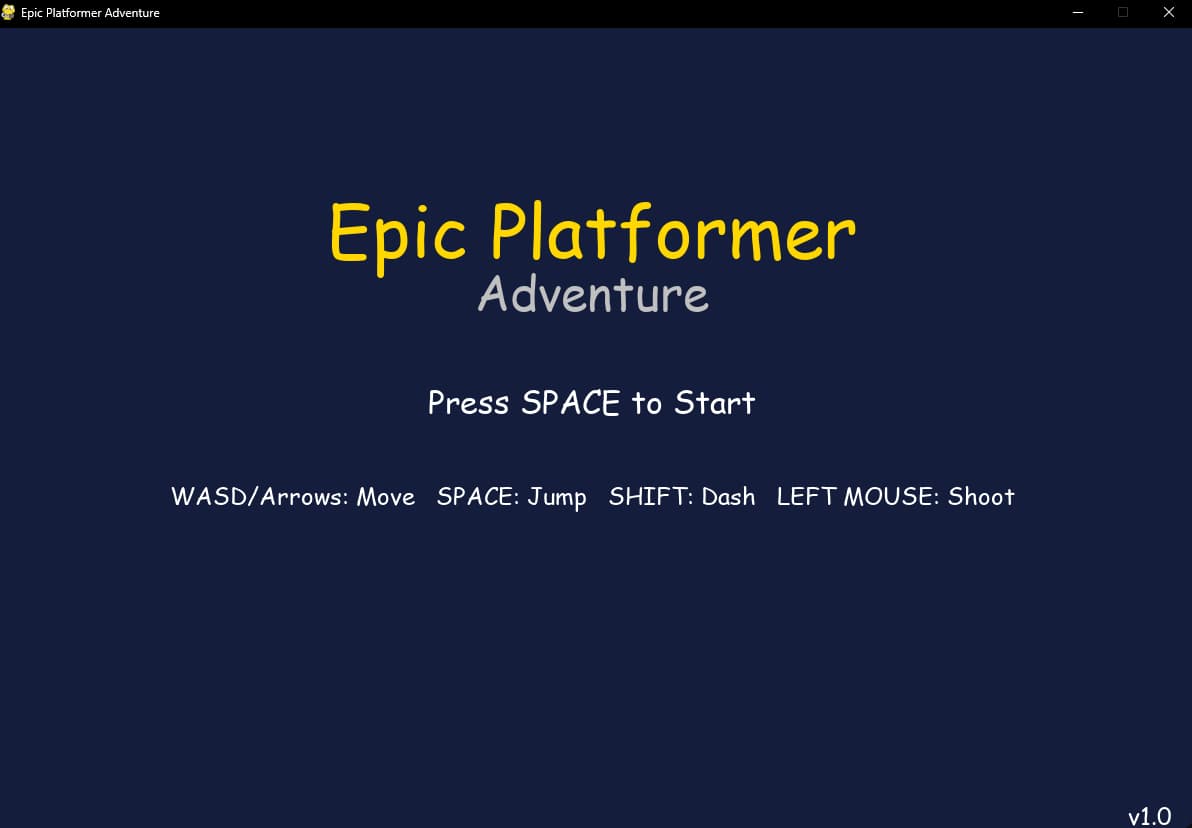
AI is revolutionizing the way we create, and nowhere is this more evident than in the world of game development. Recently, I embarked on an exciting project to build a 2D platformer game using Pygame, leveraging the power of AI tools like Visual Studio Code Insiders and GitHub Copilot Agent, with a little help from Claude Sonnet 3.7. The result? A visually stunning, feature-packed game that showcases the potential of AI-assisted coding. In this article, I’ll walk you through the process, the tools I used, and the incredible outcome—an Epic Platformer Adventure that you can download and explore yourself.
The Prompt That Started It All
I began with a single, detailed prompt fed into Claude Sonnet 3.7:
“Create a Pygame 2D platformer, only use pygame.draw for fancy graphics. Make sure it has 5 levels, you can go from one level to the next, and multiple enemies. Add a boss fight at the end as well, and a way for the player to shoot bullets at the boss. Add a title and game-over screen too. Make the background dynamic and focus on crazy cool graphics, only using pygame.draw. Add at least 10 extra features not named here to make it more unique. Make each level a different theme. Really focus on graphics too, add as much as you can to make it look detailed, but only use pygame.draw. Also: Make a clear end portal that takes you to the next level, and place the beginning spawn point of each level as well as the end in different positions each level to add variety. By the way, you can use pygame.blit for text, just no external images.”
With this prompt, I set out to see what AI could do. Remarkably, Claude Sonnet 3.7 generated a fully functional game in one go—no back-and-forth, no debugging needed. The code was clean, creative, and exceeded my expectations. Let’s dive into how I brought this vision to life using my toolkit.
The AI-Powered Workflow
My setup was simple yet powerful:
Visual Studio Code Insiders: This lightweight, cutting-edge version of VS Code provided a smooth coding environment with real-time suggestions and integrated Git support. It’s where I reviewed and fine-tuned the AI-generated code.
GitHub Copilot Agent: Acting as a co-pilot, this tool offered contextual code suggestions as I tweaked the game. While Claude did the heavy lifting, Copilot helped me explore alternative implementations and optimize sections of the code.
Claude Sonnet 3.7: The star of the show, this AI model interpreted my prompt and produced a complete Pygame script with intricate graphics, mechanics, and features—all within the constraints I’d set.
Using VS Code Insiders, I pasted the generated code, set up a virtual environment, and installed Pygame with a quick pip install pygame. From there, I ran the game with python main.py and watched it come to life.
The Game: Epic Platformer Adventure
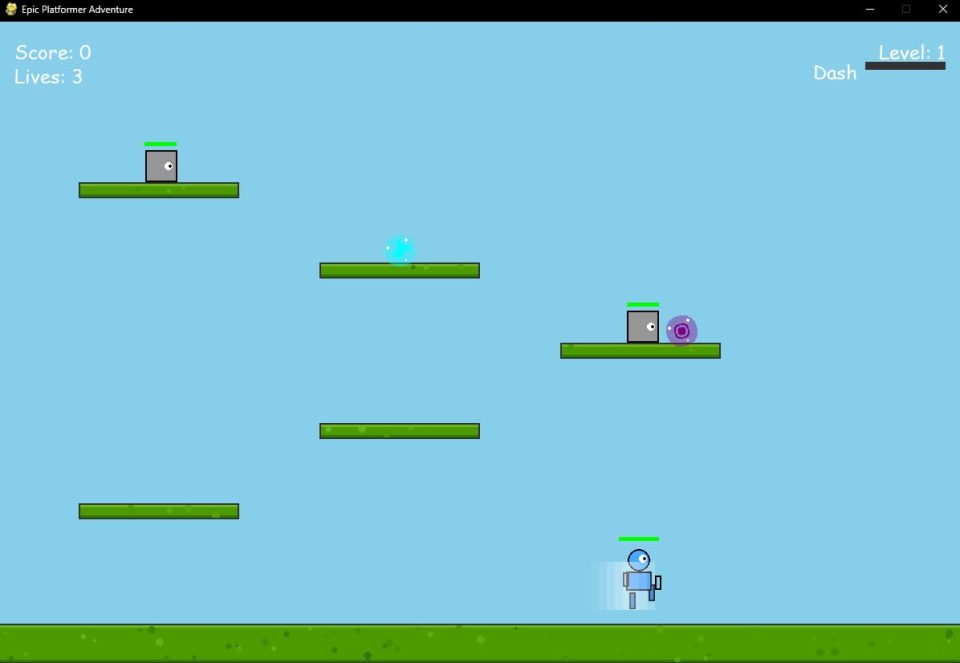
The result is a vibrant, action-packed 2D platformer that’s as fun to play as it is to admire. Here’s what makes it stand out:
Features Galore
5 Themed Levels: Each level has a unique aesthetic—Forest, Ice, Desert, Volcano, and Tech—crafted entirely with pygame.draw. Think swirling green vines, jagged icy spikes, sandy dunes with heat haze effects, molten lava flows, and neon-lit circuits.
Varied Enemies: Four enemy types keep you on your toes:
Basic: Patrolling grunts that test your timing.
Runner: Speedy foes that chase you relentlessly.
Tank: Slow, durable enemies that block your path.
Shooter: Ranged attackers firing homing missiles drawn as glowing orbs.
Power-Ups: Collectables like Health, Speed, Jump, and Shield add strategic depth, rendered as pulsing geometric shapes.
Special Abilities: Double jump, air dash, and wall sliding make movement fluid and dynamic.
Boss Battle: The Tech level ends with a multi-phase boss fight—a towering, shape-shifting construct that fires barrages of projectiles. You retaliate with a bullet-shooting mechanic, drawn as streaking lines of light.
Dynamic Backgrounds: Each level features animated backgrounds—swaying trees, drifting snowflakes, shimmering heat waves, bubbling lava, and flickering digital patterns—all built with pygame.draw.
Extra Features: The AI threw in surprises like particle effects for hits and jumps, a score system, lives, bouncy platforms, crumbling ledges, a pause menu, level transitions with fade effects, sound effect placeholders (using Pygame’s mixer), and a satisfying victory animation.
Graphics That Pop
The game’s visuals are a testament to the power of pygame.draw. Claude used lines, rectangles, circles, and polygons to create intricate designs—think fractal-like trees in the Forest level, crystalline structures in Ice, and a pulsating, circuit-laden boss in Tech. The restriction of no external images forced the AI to get creative, resulting in a retro yet futuristic art style that’s both detailed and mesmerizing.
Level Progression
Each level starts and ends at different points, accessed via glowing end portals drawn as swirling vortexes. This variety keeps exploration fresh, guiding you from lush forests to a climactic tech showdown.
How to Experience It
You can download the game and dissect the code yourself at this GitHub repository. Here’s how to get started:
Ensure you have Python 3.7+ installed.
Clone the repo and run pip install -r requirements.txt to install Pygame.
Launch the game with python main.py.
Use WASD or arrow keys to move, Space to jump (twice for double jump), Shift to dash, and Left Mouse Button to shoot during the boss fight.
Gameplay tips: Watch enemy patterns, time your dashes, and use power-ups wisely—the boss’s phases require patience and precision.
The Power of AI Tools
This project highlights how AI tools amplify creativity. Claude Sonnet 3.7 didn’t just follow my prompt—it added flair and complexity I hadn’t even considered, like particle effects and wall sliding. GitHub Copilot Agent complemented this by suggesting optimizations in VS Code Insiders, making the process seamless. Together, these tools turned a single prompt into a polished game in hours, not weeks.
For developers, this workflow is a game-changer. It’s not about replacing human ingenuity but enhancing it—letting AI handle the grunt work while you focus on vision and polish. Whether you’re a beginner or a seasoned coder, tools like these democratize game development, making it accessible and fun.
Final Thoughts
Epic Platformer Adventure is more than a game—it’s a proof of concept for AI-driven creation. With VS Code Insiders, GitHub Copilot Agent, and Claude Sonnet 3.7, I built something that rivals manually crafted projects, all from one prompt on February 26, 2025. Download it, play it, and tweak it—see what AI can do for you. The future of coding is here, and it’s wildly exciting.
0 comments
No approved comments yet. You can start the conversation.
Leave a comment