
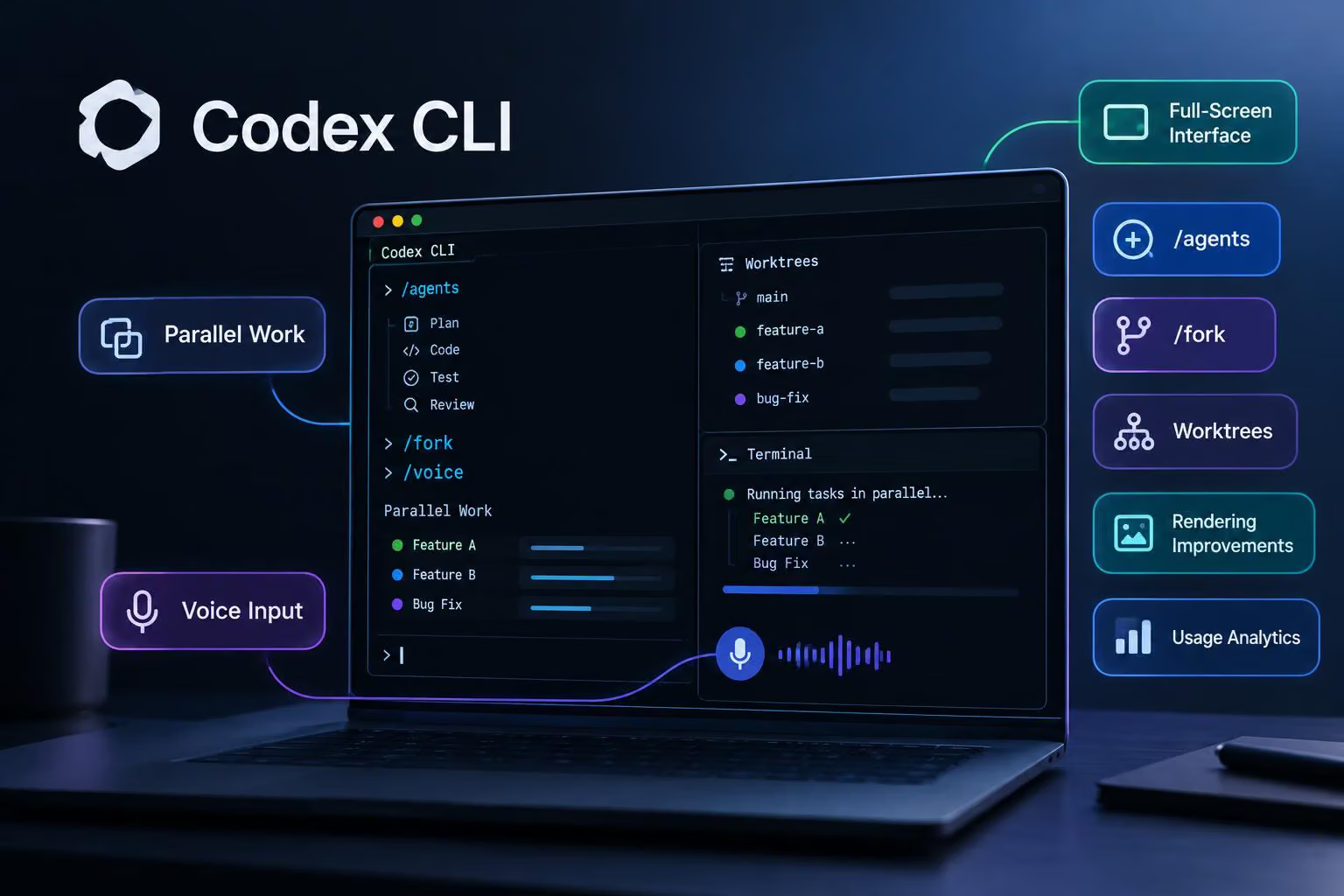
@OpenAIDevs says Codex CLI has received a major refresh aimed at developers who work from the command line. The update adds a full-screen terminal interface, controls for managing parallel work, voice input and several tools for making long coding sessions easier to navigate.
The announcement does not identify a release version or publication date, and it does not include benchmark results or independent testing. The changes below describe what OpenAIDevs announced, with the linked Codex documentation providing additional context about the CLI’s terminal workflow.
A terminal interface designed for longer sessions
The refreshed interface is intended to make extended sessions easier to follow. OpenAIDevs says older history can load as you scroll, including history beyond the terminal’s normal scrollback limit. The message composer remains pinned, so you can continue writing a prompt while exploring earlier output instead of scrolling back to find the input area.
The announcement also mentions dedicated areas for status information, hints and keyboard shortcuts. Together with the full-screen layout and readability improvements, these changes address navigation and orientation during longer interactive coding sessions.
Managing parallel work with /agents, /fork and worktrees
The refresh adds a way to inspect and switch between active work. OpenAIDevs says /agents can show what is running, provide progress information and let developers jump between tasks.
The announcement pairs that command with /fork. A developer can fork a conversation into a Git worktree, or separate working directory and checkout associated with the same repository, while keeping the same context. In practical terms, someone exploring two implementation approaches could preserve the original conversation, create a separate working area for the second direction and monitor the resulting tasks from the agent interface.
The linked Codex best-practices guide gives broader guidance for long-running work: use one chat for a coherent task, fork when work genuinely branches and consider Git worktrees when live tasks might otherwise touch the same files. Its guidance is context for using these workflows, not evidence that every related capability arrived in this refresh.
The subagents documentation describes parallel agent workflows as a way to split bounded work such as exploration, testing or triage. It also cautions that parallel write-heavy work can create conflicts and that subagent workflows use more tokens than comparable single-agent runs. Those considerations matter when deciding whether the new controls fit a particular repository workflow.
Voice input and other session controls
Codex CLI now supports spoken interaction through /voice, according to the announcement. OpenAIDevs says developers can use it to start work or talk through a next step, then move into the agent view to see other work in progress.
Other announced controls include /usage, which provides activity and usage analytics, and /theme, which offers additional themes. These features are aimed at session visibility and terminal customization rather than code-generation quality. The announcement does not define the analytics metrics or describe the available themes in detail.
Rendering and output improvements
The refresh also adds several ways to make terminal output easier to inspect. OpenAIDevs lists direct rendering for Mermaid diagrams and LaTeX, along with collapsible diffs and tool output. Mermaid is a text-based format for diagrams, while LaTeX is commonly used to represent mathematical notation and formulas. Rendering both in the terminal could reduce the need to interpret raw markup during a coding session.
Managed worktrees are included in the same list of builder-focused changes. In combination with /fork, they point to a workflow where separate tasks can use separate checkouts rather than competing for the same working files. The announcement does not specify the implementation details, supported platforms or management rules for those worktrees.
How to install or update Codex CLI
The announcement tells developers to update with:
npm install -g @openai/codex@latestThe linked Codex CLI documentation separately provides this standalone installer for macOS and Linux:
curl -fsSL https://chatgpt.com/codex/install.sh | shThe same documentation says to open a project directory, run codex ., and sign in using ChatGPT or another available sign-in method before starting a task. It describes Codex CLI as a tool for inspecting code, making changes, running commands and automating repeatable work from the terminal.
The authentication documentation says Codex CLI supports sign-in with ChatGPT and API-key authentication for local work. Authentication details, plan access and feature availability are broader documentation topics rather than established details of this particular refresh, so developers should check the current documentation for their environment before relying on a specific sign-in path.
What this Codex CLI update does not establish
The supplied announcement describes the interface and feature set, but it does not establish:
a release version or publication date;
platform support for every newly listed capability;
pricing, plan requirements or rollout status;
performance improvements or benchmark results;
independent testing or user feedback; or
detailed syntax and behavior for every command.
The practical takeaway is that Codex CLI is being presented with a stronger set of terminal controls for long sessions and parallel work. Developers considering the update can evaluate whether pinned composition, history loading, /agents, /fork, /voice, rendering and usage visibility match their workflow, while treating the announcement as OpenAIDevs’ description of the refresh rather than as independent verification.

0 comments
No approved comments yet. You can start the conversation.
Leave a comment