

X Calls is reportedly live at call.x.com, with people able to join using a code or link without an X account. The report also describes options to start a call immediately, create a link for later, or schedule a call.
In a post on X, @nima_owji says the service includes a whiteboard, reactions and backgrounds made with Grok Imagine.
Joining and arranging a call
The post says participants can join with a code or link and do not need an account. That describes the reported joining option; it does not establish whether the person creating or hosting a call can do so without an account.
For arranging calls, the report lists three options: start a call now, create a link for a call later, or schedule one. A supplied screenshot shows a “Schedule a call” dialog with fields for a title and description, a date and time, a duration, guest invitations and a “Create call” button.
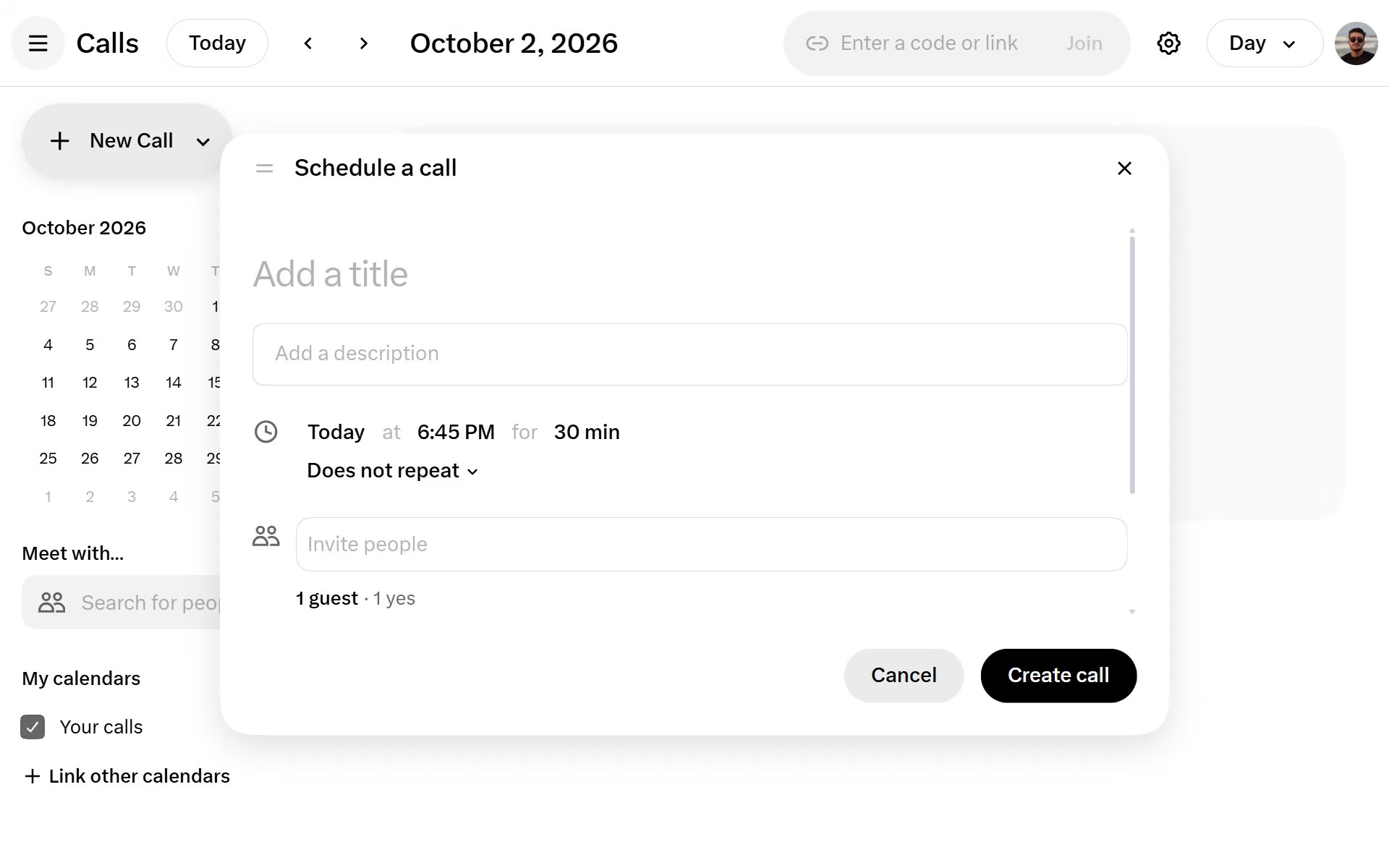
Image credit: @nima_owji on X
The screenshot also shows a calendar-style view and a field labeled “Enter a code or link,” but it does not establish how the complete joining or scheduling flow works in practice.
Collaboration and in-call controls
The report specifically mentions a whiteboard and reactions. In another supplied screenshot, the sharing menu includes options for sharing an entire screen, a window or a browser tab, alongside a “Whiteboard” option. The same call view visibly includes a reactions control in the bottom toolbar.
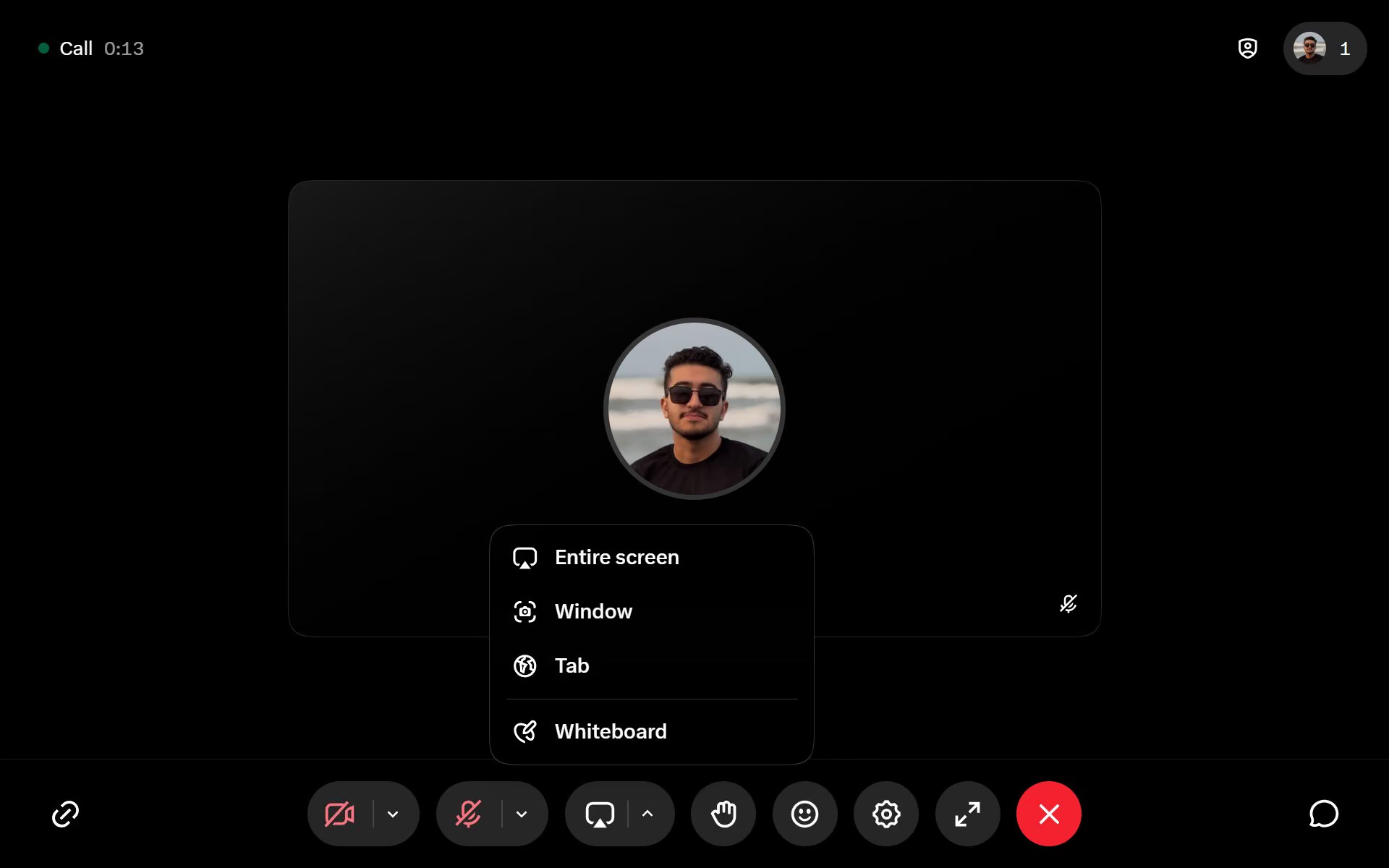
Image credit: @nima_owji on X
A separate screenshot shows an “Audio & video” settings panel with microphone and camera permissions and a noise-reduction control. These are interface details visible in the supplied image, not evidence about audio quality, supported devices or how reliably the controls work.
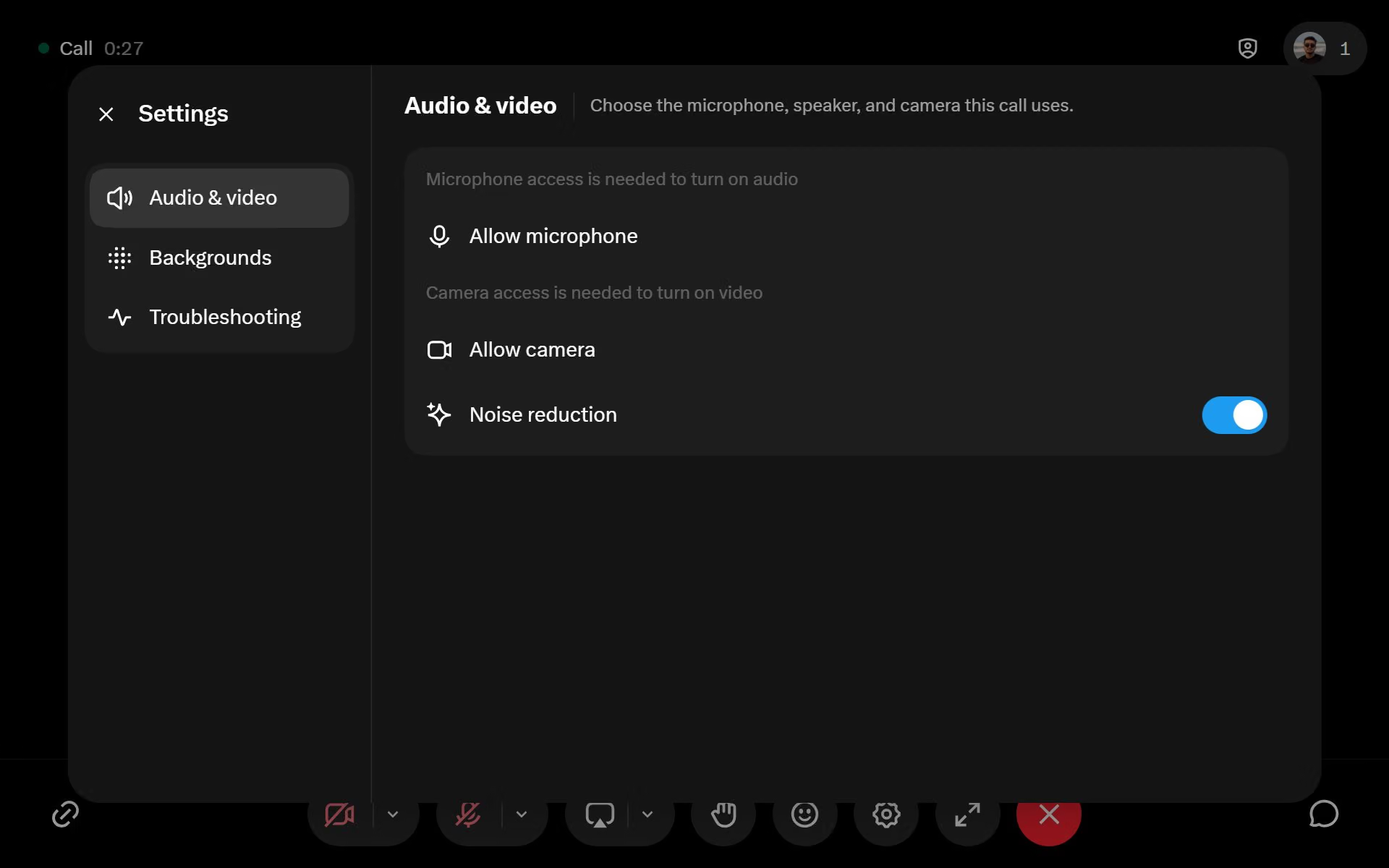
Image credit: @nima_owji on X
Backgrounds labeled as generated with Grok Imagine
The post also says X Calls includes backgrounds made with Grok Imagine. The supplied backgrounds screen shows options for no background, blur and soft blur, alongside several visual background thumbnails. Text at the bottom labels the displayed collection “Backgrounds generated with Grok Imagine.”
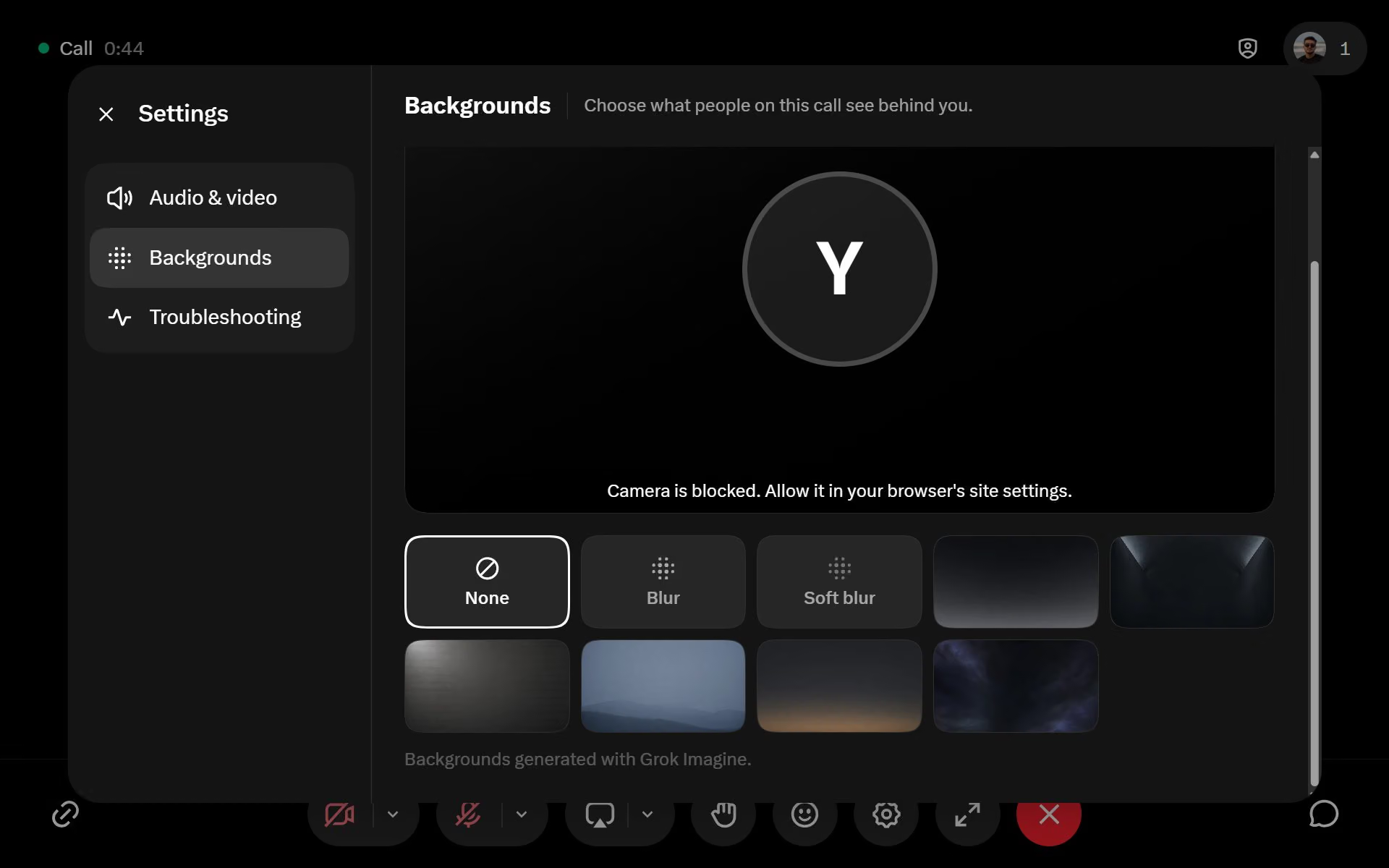
Image credit: @nima_owji on X
The screenshot supports describing how the displayed interface is labeled. It does not establish whether users can generate additional backgrounds inside X Calls, whether the backgrounds are available to every user, or what role Grok Imagine plays beyond the label shown.
What the report does not establish
The supplied evidence is one X post and its accompanying screenshots. It does not confirm whether X Calls is available to everyone, which browsers or devices support it, whether account-free access applies to hosts, or whether the displayed features are available in every call.
It also provides no information about participant limits, recording, encryption, call quality or a complete account-free usage flow. Those details would require additional documentation or confirmation from X.


0 comments
No approved comments yet. You can start the conversation.
Leave a comment