
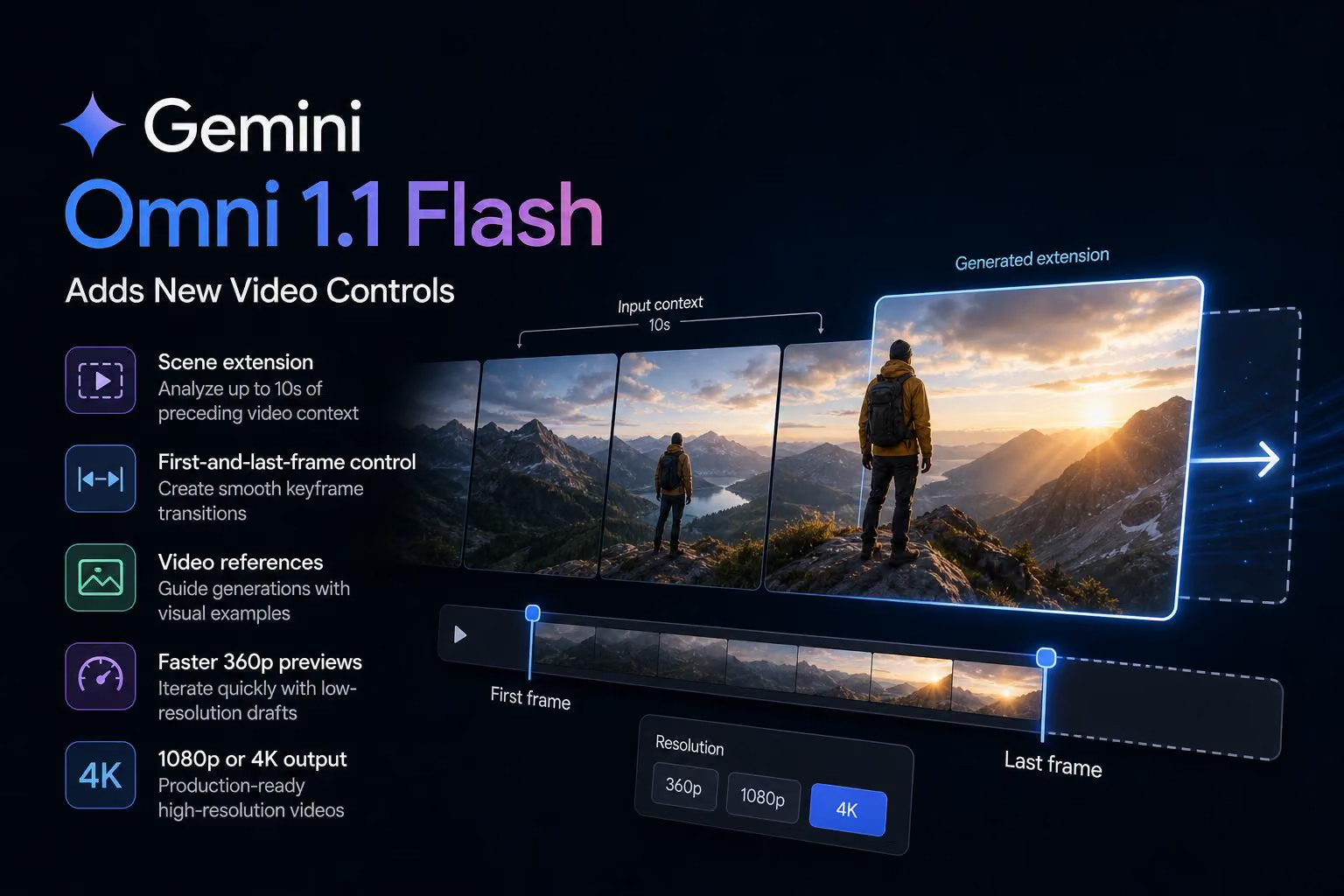
Google AI Studio announced Gemini Omni 1.1 Flash in a post from @GoogleAIStudio, presenting it as an update for developers who need more control over generative video. The announcement says the model is available through the Gemini API in Google AI Studio and adds scene extension, keyframe transitions, video references, faster low-resolution previews, and 1080p or 4K output.
From short clips to connected scenes
The update’s most substantial workflow change is scene extension. Gemini Omni 1.1 Flash can analyze up to 10 seconds of preceding video context before continuing a scene. The post contrasts that with earlier models that referenced only the final second, saying the broader context is intended to improve visual consistency and adherence to the narrative.
Extensions can be generated in 10-second increments, with a cumulative maximum length of 40 seconds. That gives developers a way to build longer sequences through a series of connected generations rather than treating every clip as an isolated result.
The API example carries a previous video interaction into a new request through a previous interaction ID, followed by an instruction such as continuing the scene. The response format can also specify a preview resolution, including 360p.
Keyframes and video references add direction
Developers can specify both the first and last frames of a shot. The model then generates the movement between those two keyframes, a workflow suited to transitions such as camera orbits, zooms, and looping shots. This gives creators more control over where a clip begins and ends than a prompt describing the intended movement alone.
The announcement also describes support for video references of up to three seconds in multimodal input. Those references can provide visual context for a new scene and help maintain character or motion consistency. The examples include combining several dance references with provided characters while keeping the result as one continuous shot.
Taken together, scene extension, keyframes, and reference videos suggest a shift from one-off prompt generation toward a more directed editing and production workflow. Developers can use existing footage, define transition points, and provide motion examples as part of the generation process.
Use 360p for iteration and higher resolutions for delivery
The update separates quick experimentation from final output. Google’s announcement says 360p previews can generate up to 60% faster than standard 720p output and cost one-third as much. The speed comparison is based on system throughput for 360p versus 720p.
That makes the lower-resolution mode useful for testing camera movements, comparing prompt variations, and rejecting weak concepts before spending more time or resources on a polished render. Once a direction is selected, the model can generate 1080p or 4K video for higher-resolution production use.
This draft-first, final-render-later workflow is one of the clearest practical benefits of the update: developers can explore more variations cheaply, then reserve higher-resolution generation for the concepts that make it through review.
Availability across Google’s developer ecosystem
The announcement says Gemini Omni 1.1 Flash is rolling out through several Google developer products and resources:
Google AI Studio, where developers can try the model directly.
Gemini Enterprise Agent Platform, for enterprise deployments.
Developer documentation, the cookbook, and prompting guides covering scene extensions, video references, and upscaling.
The post also says the model is available globally to Google AI Plus, Pro, and Ultra subscribers in Google Flow, while scene extension is available globally to those subscribers in the Gemini app.
Early production examples
The announcement highlights several companies using Gemini Omni Flash in creative or media workflows. It says Adobe has integrated the model into Adobe Firefly for video editing. Statements from Figma Weave, GMI Cloud, and Runway describe applications ranging from branching creative work with references and 4K output to educational content and workflows that begin with a prompt, image, or video.
These examples point to the intended audience: developers building creative applications rather than only users generating individual clips. For those teams, the combination of continuity controls, reference inputs, inexpensive previews, and high-resolution output could make the model easier to incorporate into an end-to-end video workflow.


0 comments
No approved comments yet. You can start the conversation.
Leave a comment